|
|
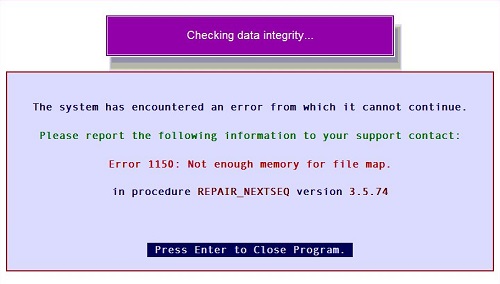
Error 1150: Not enough memory for file map
| Reference Number: AA-00384 Views: 86 Created: 2014-05-16 11:16 Last Updated: 2019-09-23 17:13 |
0 Rating/ Voters
|
 |
Error 1150: Not enough memory for file map If you come up across this error while running a task in Artisan 3.X , it only takes a small file to fix it. Follow the steps below. 
STEP 1: On your Windows computer, open up Notepad and type in the following:
bufferpoolsize=512
STEP 2: Save as "artisan.ini", make sure you choose "all files" when saving on Windows Explorer so that you keep the .ini and not .txt
- Place this file in C:\Program Files (x86)\Artisan POS 3\POS Plus
- If Windows does not let you save at this location, save on the Desktop first and then move it.
STEP 3: - Open Artisan and make sure all stations are out of Artisan by pressing ALT + F5
- Go to Tools => Re-index Database
Now it should be running fine. This happens when FoxPro has issues accessing more memory because of Windows settings.
|
| |
| |
|
|
|
|
|
|
|


